 Listicle
7 Signs of Flood Damage in Golf Carts to Never Ignore
Last Updated: November 7, 2026
Quick Summary
The 7 signs of flood damage in golf carts are musty odors and water stains, rust on bolts and seat mounts, silt in hidden areas, water lines and discoloration, battery and charging trouble, electrical problems and foggy lights, and weak brakes or vibration on a test drive. Do not power on, charge, or test-drive a suspected flooded cart until it has been inspected.
- Floodwater reaches the battery compartment, wiring, motor, rear axle, and frame before damage shows outside.
- Saltwater starts eating metal almost immediately, while freshwater corrosion can take weeks to surface.
- Disconnect the battery pack and leave the charger unplugged before inspecting a suspected flooded cart.
- A clear tide mark is one of the strongest single indicators of flood exposure.
- Walk away from Tier 3 carts where water reached the controller, harness, and drivetrain.
Table of Contents
- Why Flood Damage in Golf Carts Is Easy to Miss
- Sign 1: Musty Odors, Mold, and Water Stains Inside the Cabin
- Sign 2: Rust and Corrosion on Bolts, Seat Mounts, and Hardware
- Sign 3: Silt, Sand, and Debris in Hidden Areas
- Sign 4: Water Lines, Tide Marks, and Discoloration
- Sign 5: Golf Cart Battery Water Damage and Charging Trouble
- Sign 6: Golf Cart Electrical Problems and Foggy Light Housings
- Sign 7: Weak Brakes, Vibration, and Drivetrain Symptoms on a Test Drive
- Your Used Golf Cart Inspection Checklist: What to Check and Where
- Freshwater vs. Saltwater Damage: Why Timing Matters
- Repair or Replace? How to Decide After the Inspection
- Frequently Asked Questions
Why Flood Damage in Golf Carts Is Easy to Miss
That's the problem with buying a used cart after a storm. A seller can hose off the mud, dry the seats, and park the cart in the sun.
We put together this guide because the checklist most buyers use is too short. For problems beyond a visual inspection, a professional golf cart diagnostics service can test the electrical and drivetrain systems directly.
Sign 1: Musty Odors, Mold, and Water Stains Inside the Cabin
A musty smell is the fastest sign to check and the easiest to fake. Sellers sometimes mask it with air freshener or a heavy cleaning, so pay attention to whether the scent feels covered up rather than gone.
Look for water stains on the seat vinyl, the floor mat, and the underside of the roof. Per consumer flood-damage guidance from the Missouri Attorney General, musty or over-perfumed odors, mold, and water stains are classic flood clues in vehicles, and the same logic applies to a golf cart cabin.
Severity: moderate. Odors and stains alone don't condemn a cart, but they tell you to keep inspecting.
Sign 2: Rust and Corrosion on Bolts, Seat Mounts, and Hardware
Rust in the wrong place is more telling than rust in the obvious place. Every cart has some surface rust on the frame after a few seasons.
Check the bolts that hold the seat frame, the brackets under the dash, and the fasteners around the wheel wells. Our guide on how to inspect used golf carts for rust walks through each of these spots.
Severity: moderate to high. Corroded hardware often means water sat inside the frame or under the floor pan.
Sign 3: Silt, Sand, and Debris in Hidden Areas
Silt settles where water slows down, and that's almost always somewhere you can't see from standing height.
Check the frame rails, the space behind the rear wheels, and the underside of the floor mat.
Severity: high. Silt in hidden areas usually means water reached components you can't inspect visually.
Sign 4: Water Lines, Tide Marks, and Discoloration
Water lines are the closest thing to a confession a flooded cart can give you.
Discoloration matters too. Plastic that looks bleached or chalky in a band around the cart, or metal with a dull gray cast in a stripe, points to standing water.
Severity: high. A clear tide mark is one of the strongest single indicators of flood exposure.
Sign 5: Golf Cart Battery Water Damage and Charging Trouble
Golf cart battery water damage shows up as reduced range, slow acceleration, and difficulty charging. Floodwater that reaches the battery pack can short cells, corrode terminals, and contaminate the electrolyte.
Start with a visual check of the battery terminals and connectors. White or green crust, pitting, or loose cable ends all point to corrosion.
Severity: high. Our breakdown of golf cart battery replacement cost covers what to expect, and if the charger itself is the problem, here's what golf cart battery charger repair typically involves.
Sign 6: Golf Cart Electrical Problems and Foggy Light Housings
Golf cart electrical problems from water exposure are often intermittent, which makes them easy to miss on a short test drive.
Foggy headlights are a related tell. Moisture inside a light housing means water got in and didn't drain.
Severity: high. Electrical faults are the hardest to trace and the most expensive to chase after purchase.
Sign 7: Weak Brakes, Vibration, and Drivetrain Symptoms on a Test Drive
Braking and drivetrain behavior tell you what a stationary inspection can't. On the test drive, brake firmly from a moderate speed in a safe, open area.
Listen for clicking sounds, and feel for vibration or shaking when you come to a stop. If the brakes feel soft or noisy, our guide to troubleshooting common golf cart brake issues explains what each symptom usually points to.
Severity: high. Brake and drivetrain symptoms affect safety and are rarely cheap to fix.
Your Used Golf Cart Inspection Checklist: What to Check and Where
A checklist is only useful if it tells you where to put your hands and what result should stop you.
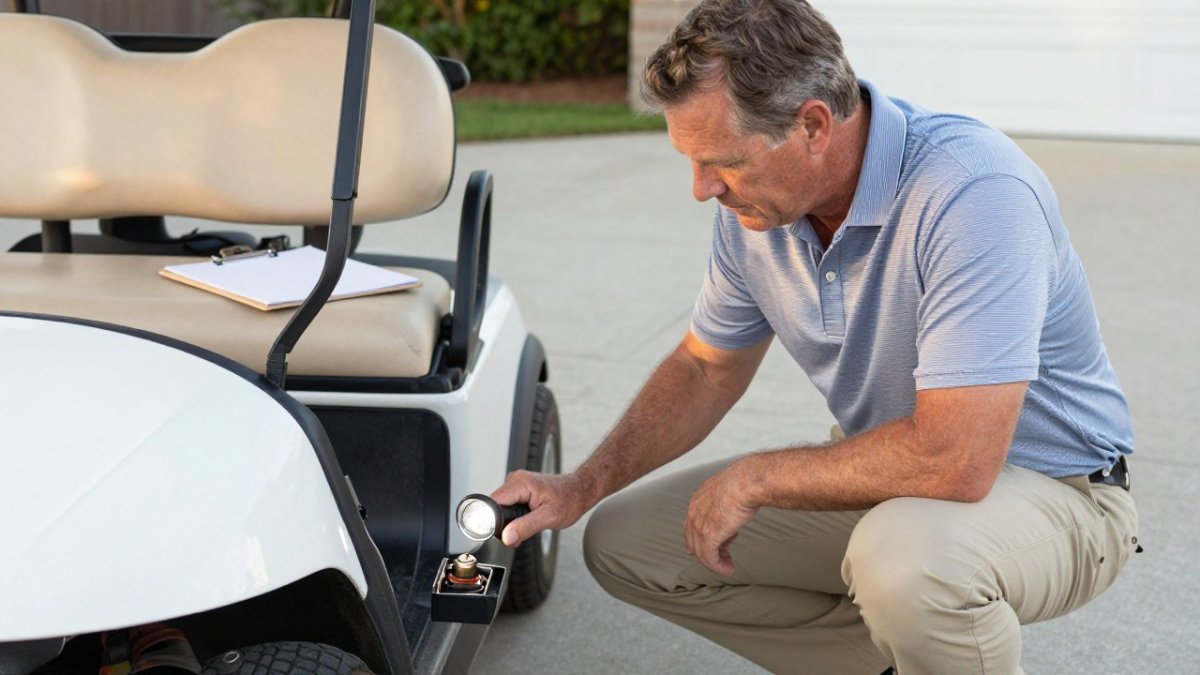
Before you touch anything: do not power on, charge, or test-drive a suspected flooded cart. Floodwater plus live electrical components can damage the controller and create a shock risk.
Battery compartment and pack
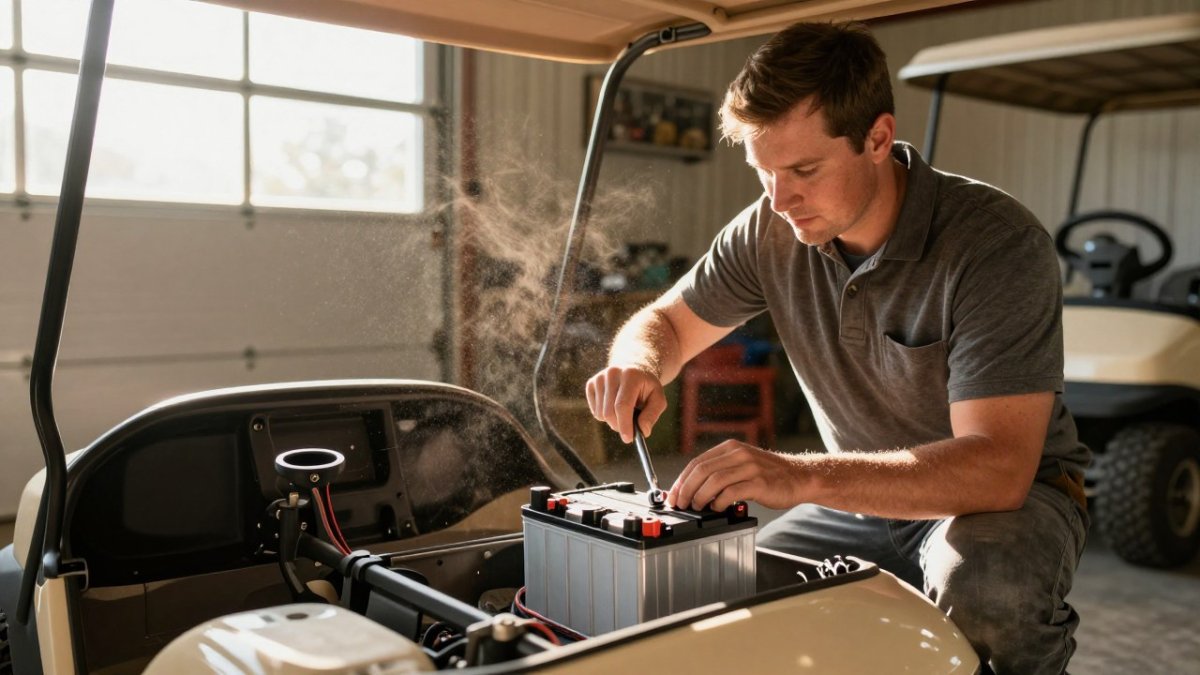
Open the compartment and look at the tray floor, not just the tops of the batteries. Silt, a water line on the tray wall, or crust on the hold-down bracket means water stood here. Check every terminal for white or green crust, pitting, and loose cable ends, and look for swelling or a bulged case on any battery.
- Stop-use threshold: any standing water, visible arcing marks, a swollen battery, or a charger that errors out. Do not charge.
- Watch out: a seller may have cleaned the terminals but left corrosion inside the cable lugs, where it is invisible until the cart fails under load.
Wiring harness and connectors
Trace the main harness from the battery compartment toward the controller and dash. Pull apart two or three accessible connectors and look for green corrosion, dampness, or mud inside the pins. Corroded pins cause intermittent faults that a short test drive will not reveal.
- Stop-use threshold: corrosion inside multiple connectors or any melted or discolored pin.
Controller and motor
The controller is usually a sealed box, so look at its mounting area and connectors rather than opening it. On the motor, check the vent and terminal area for silt and rust, and spin the wheels by hand to listen for bearing roughness.
- Stop-use threshold: water lines on the controller housing or grinding when a wheel is spun by hand.
Brakes, axle, and underbody
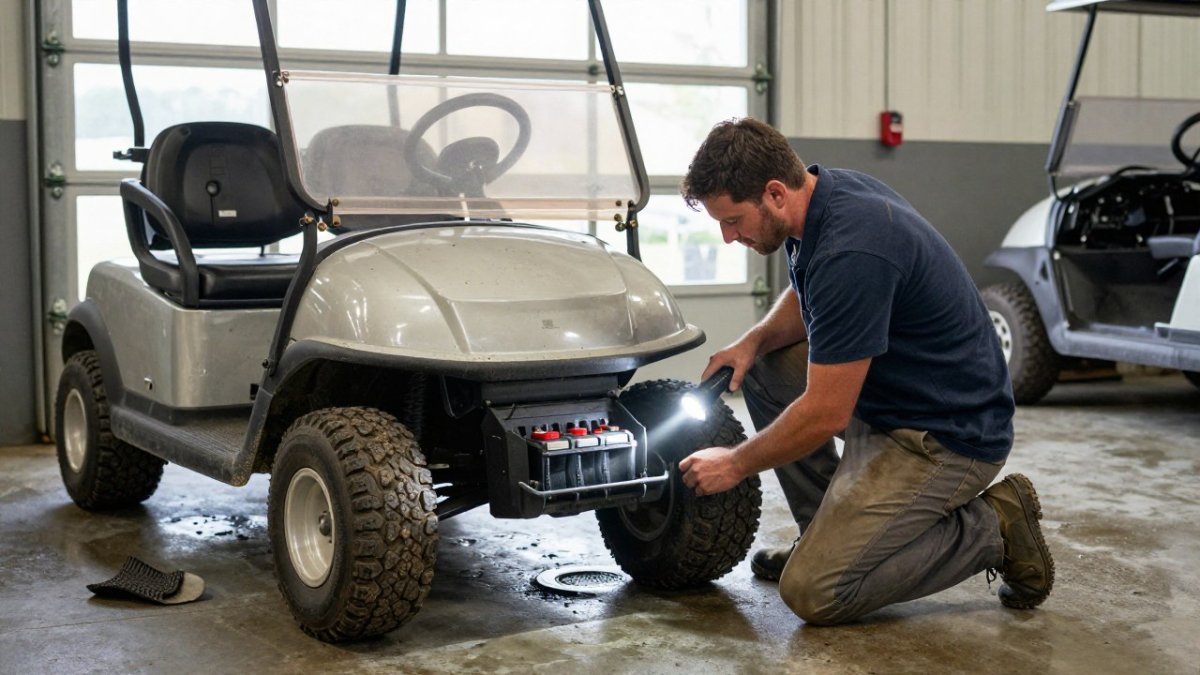
Get low with a flashlight. Check the frame rails, the space behind the rear wheels, and the underside of the floor mat for grit that feels like fine sand. Look at brake drums or discs for rust film and at the axle for a water line.
- Stop-use threshold: a brake pedal that feels soft, a wheel that drags, or heavy rust on braking surfaces.
Cabin, seats, and lights
Lift the seat cushions and smell the foam, check the underside of the roof and the storage pockets for water stains, and inspect the headlight lenses for trapped droplets or an internal water line.
- Stop-use threshold: mold through the seat foam or standing water inside a light housing.
The test drive, only after the checks above pass
Brake firmly from a moderate speed in a safe, open area and feel for pulling, grinding, or a long pedal.
Work through the list in order and stop at the first stop-use threshold you hit.
Work through these areas in order and stop at the first stop-use threshold you hit.
| Area to check | What to look for | Stop-use threshold |
|---|---|---|
| Battery compartment and pack | Silt, water line on tray wall, crust on terminals | Standing water, arcing marks, swollen battery, charger error |
| Wiring harness and connectors | Green corrosion, dampness, or mud inside pins | Corrosion inside multiple connectors or melted pin |
| Controller and motor | Water lines on housing, silt and rust, bearing roughness | Water lines on controller housing or grinding when wheel spun |
| Brakes, axle, and underbody | Grit, rust film on drums or discs, axle water line | Soft pedal, dragging wheel, heavy rust on braking surfaces |
| Cabin, seats, and lights | Mold in foam, water stains, droplets in lenses | Mold through seat foam or standing water in light housing |
| Test drive, after checks pass | Pulling, grinding, long pedal, clicking, vibration | Any of these symptoms on a firm stop |
Freshwater vs. Saltwater Damage: Why Timing Matters
Saltwater damage is worse than freshwater damage, and it moves faster. Salt accelerates corrosion on terminals, connectors, and frame hardware, and it keeps working even after the cart looks dry.
Freshwater damage is slower but not harmless. Standing freshwater still reaches the battery compartment and wiring, and the corrosion that follows can take weeks to appear.
Repair or Replace? How to Decide After the Inspection
Once you have inspection results, the decision comes down to three questions: how many systems were hit, how deep the water reached, and what the cart is worth relative to the repair. Flood-damaged carts are often sorted into three tiers rather than treated as a single yes-or-no repair decision.
Tier 1: Cosmetic or single-system damage
Water reached the cabin, seats, or one component but not the controller, harness, and drivetrain together. Typical repairs are seat foam and covers, a brake set, a light housing, or a battery pack. This tier is usually worth repairing if the cart is otherwise sound and you plan to keep it.
Tier 2: Battery and electrical damage without drivetrain involvement
The pack, terminals, or charger need work, but the motor and controller tested dry. Battery replacement is one of the larger line items in a used cart, so get the estimate in writing and compare it against the cart's value. If the repair approaches half the cart's worth, the math gets tight.
Tier 3: Water reached the controller, harness, and drivetrain
Multiple electrical faults plus frame corrosion is the money-pit tier. Intermittent faults can reappear for months, and hidden corrosion adds cost after the sale. Walk away unless the price reflects a full rebuild.
What to put in the written estimate
Ask for the estimate to separate parts and labor by system, list any components that were tested but not replaced, and state what was not inspected. A vague lump-sum quote hides the risk you are trying to price.
- Watch out: a seller who cleaned the cart and dried the seats may have done nothing about corrosion inside connectors, so an estimate based only on what is visible can understate the real cost.
Repair versus replace the cart
Compare the estimate against the cart's current value, not what the seller paid. If the repair plus your purchase price exceeds what a comparable dry cart sells for, replacing the cart is the better decision. If you already own the cart, compare the repair against the cost of a replacement minus what you could sell the damaged cart for parts.
Buying from a private seller versus a dealer
From a private seller, ask for service records and a pre-purchase inspection, and treat a vague answer about where the cart was stored as a red flag.
Get the estimate, apply the tier, and compare it against value. That sequence turns a gut call into a decision you can defend.
Frequently Asked Questions
Can you tell if a golf cart has flood damage just by looking at it?
You can catch most cases visually, but not all. Look for musty smells, water stains, rust on bolts and seat mounts, silt in hidden areas like the battery tray and under the floor mat, and water lines or tide marks on panels. Foggy headlights and corroded terminals are also clues. Visible signs only tell part of the story, though. Battery and electrical damage can hide under a clean exterior, so a professional inspection is the safest way to confirm flood damage before you buy.
What happens if water gets into a golf cart battery?
Water in the battery compartment causes golf cart battery water damage that shows up as reduced range, slow acceleration, and difficulty charging. Floodwater carries silt and minerals that contaminate the electrolyte and corrode terminals and connectors. In many cases the pack will not hold a charge even after drying out. Have the batteries load-tested and the terminals inspected before you power the cart on, and expect that a flooded pack may need replacement rather than repair.
Is it safe to drive a golf cart that has been flooded?
Not before it has been inspected. Water exposure can damage brakes, wiring, and the electrical system in ways you cannot see, and a cart that starts fine may have a longer stopping distance or intermittent power loss. Do not power on or test-drive a flooded cart until the battery compartment, wiring, and brake system have been checked. If you already own the cart, have it inspected by a qualified technician before anyone rides it again.
Can a flood-damaged golf cart be repaired, or should I walk away?
It depends on how deep the water went and how long the cart stayed wet. Freshwater exposure that was dried quickly and inspected early is often repairable. Saltwater or standing water that reached the battery compartment and wiring usually means replacing batteries, connectors, and possibly the controller, and the total can approach the cart's value. Use the seven signs to judge severity, get a written repair estimate, and compare it against replacement cost before you commit.
What should I check before buying a used golf cart from a private seller?
Bring a used golf cart inspection checklist and check the battery compartment for corrosion and silt, look for rust on bolts and seat mounts, smell for mold or musty odors, and inspect under the floor mat and rear axle for debris. Test the lights for moisture, then take a test drive that includes braking and slow acceleration. Ask for service records and whether the cart was ever exposed to flooding. A professional pre-purchase inspection is worth considering on any cart you are serious about.